The context
The fix was in the documents. Finding it was the problem.
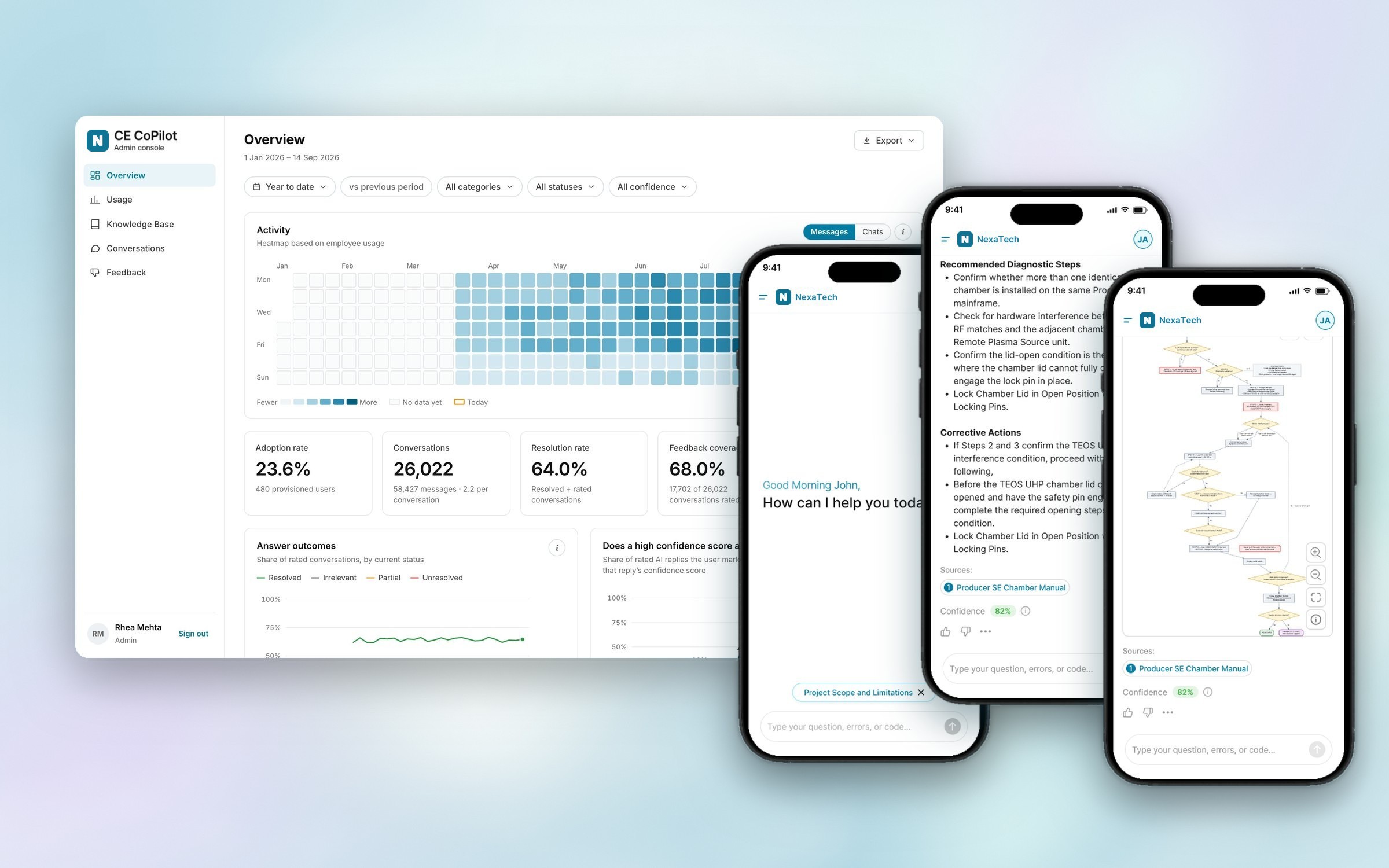
When a tool faults, a customer engineer needs the right procedure, fast, and it sits somewhere in thousands of pages of approved documentation. CE CoPilot meets them in three places.
Mobile app: for the engineer standing at the tool.
Web app: the same chat at a desk, with the sidebar open.
Admin console: usage, answer quality, the knowledge base and feedback.
A wrong torque value on a fab tool is not a typo.
The brief
Three rules the product could not break
Everything in CE CoPilot follows from them.
- 01Only approved documentsAnswers come from approved technical documents and structured datasets, nothing else. Off-topic questions are declined.
- 02Always show the sourceEvery answer names its documents and carries a confidence score an engineer can question.
- 03Safety before stepsLockout, venting and preconditions come before any diagnostic step, every time.
Design decisions
Small calls that kept the product honest
Each one protects the engineer’s trust, or the truth of a number in the console.
- Decline, but show the way inAn out-of-scope reply lists what to add, so a refusal becomes a better question.
- One chat, one issueResolving closes the chat, so every resolution rate in the console stays true.
- Adoption on an average dayNot “ever used”, which only climbs. The daily share is the number that moves.
- Each number appears onceA tile gives the headline, a chart the trend, a table the detail.
- Fixes are scoped and versionedA fix for Singapore stays in Singapore, and none is ever deleted.
In practice
An engineer at the tool, from question to resolved
Five steps on the mobile app.
01
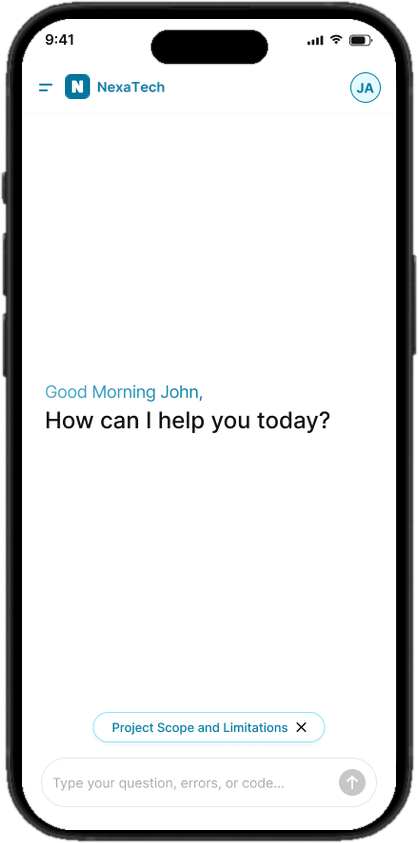
Ask the way you’d ask a colleague
Type the symptom in plain words, paste an error code or attach a script. If a question is out of scope or too thin, CE CoPilot asks for the platform, part or code.


While it works, it says what it’s doing
Five honest states instead of one spinner. A seven-second wait feels shorter when you can see the work.


02
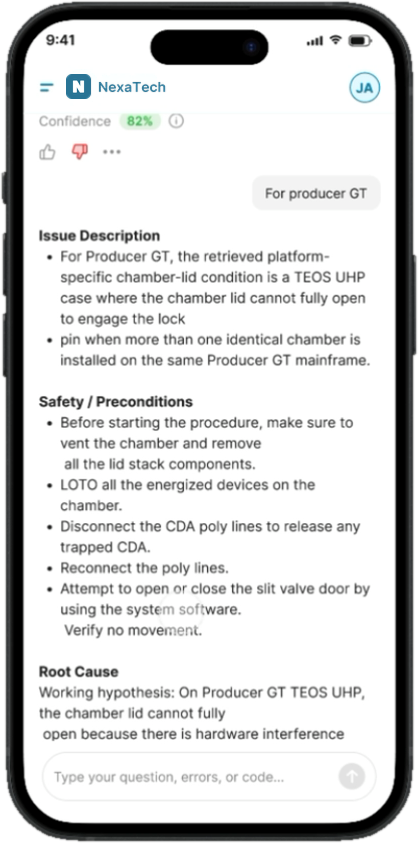
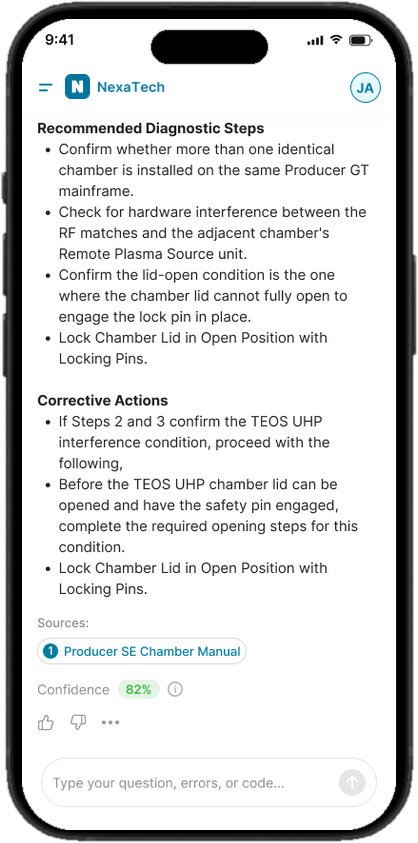
Read a procedure, not a paragraph
Every troubleshooting answer uses the same five parts, so an engineer always knows where the safety notes and the fix will be.
- 1Issue description
- 2Safety and preconditions
- 3Root cause
- 4Diagnostic steps
- 5Corrective actions

03
Question any answer
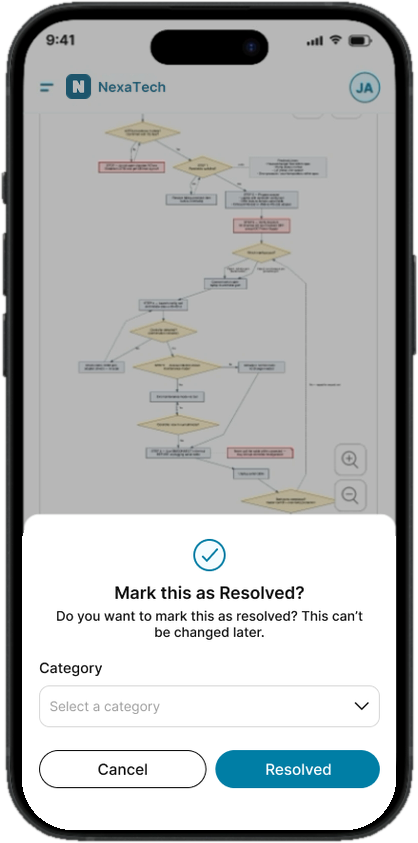
The footer is where trust is earned: the sources, a confidence score explained in plain words, and a way to say what was wrong. Closing a chat asks for a category.


04
Follow it at the tool
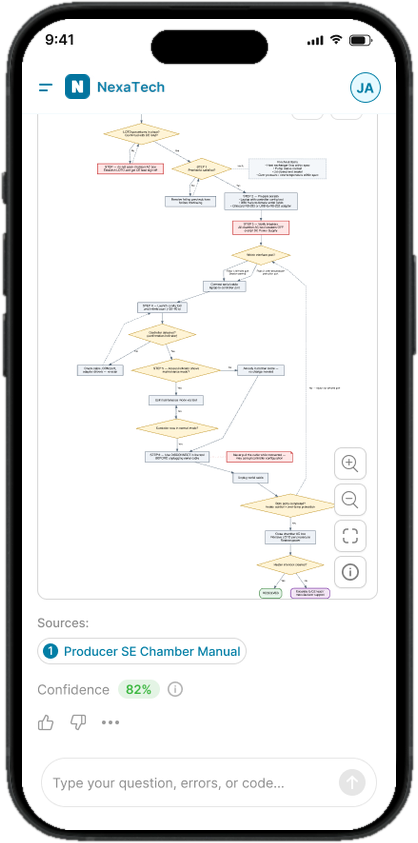
Long procedures with branches read better as a flowchart. One tap turns an answer into one, with a legend for every shape.

05
Sign in once, find any chat again
Microsoft sign-in with the company’s own branding, an error that says how to fix it, and a history where every chat carries its category and status.


The feedback loop
Wrong answers become better ones
This is the part of the product I’m proudest of. A thumbs-down in the app isn’t the end of the story: it starts a fix that every later answer benefits from.
- 01An engineer flags itStatus, category and what was wrong, from the answer footer.
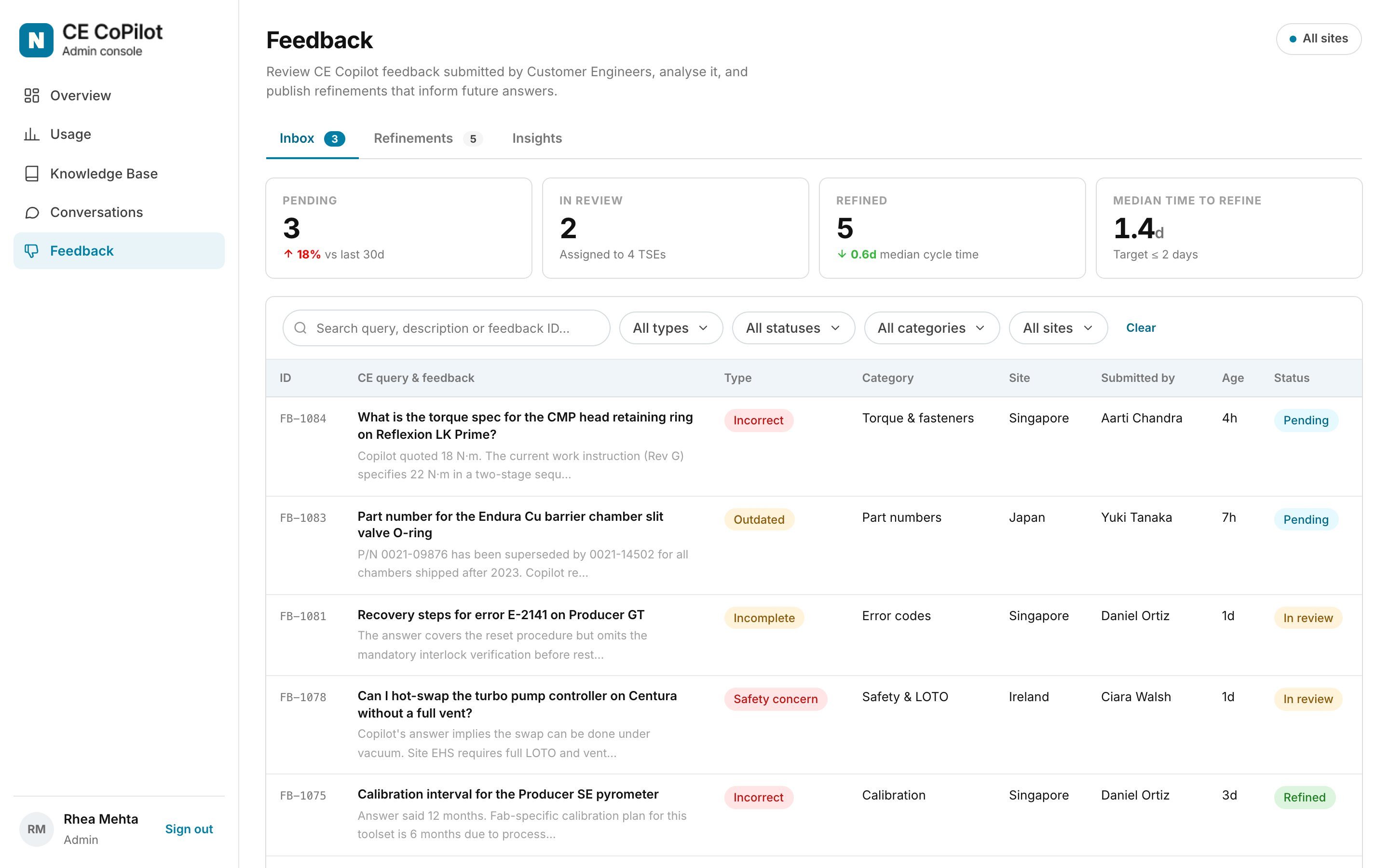
- 02It lands in the inboxSorted by type: incorrect, outdated, incomplete or a safety concern.
- 03An expert writes the fixScoped to one site or one tool family, with its source document.
- 04Future answers use itVersioned, never deleted, counted every time it’s applied.
02
It lands in the inbox
Flags arrive sorted by type (incorrect, outdated, incomplete or a safety concern), each in the engineer’s own words.
03
An expert writes the fix
The answer, the complaint and the fix sit side by side. Here, Copilot quoted 18 N·m from a superseded revision; the expert stores the right value, scoped to one site.

04
Future answers use it
Every fix traces back to the feedback that created it, and counts each time it’s applied.

Is the loop working?
Insights track feedback volume, refinement coverage and repeat feedback. Repeat feedback is the number to watch.

Admin console
Four questions an admin asks every week
Is it being used? Are the answers good? Where is the knowledge failing? Who can see what? The console answers them in that order.
The overview
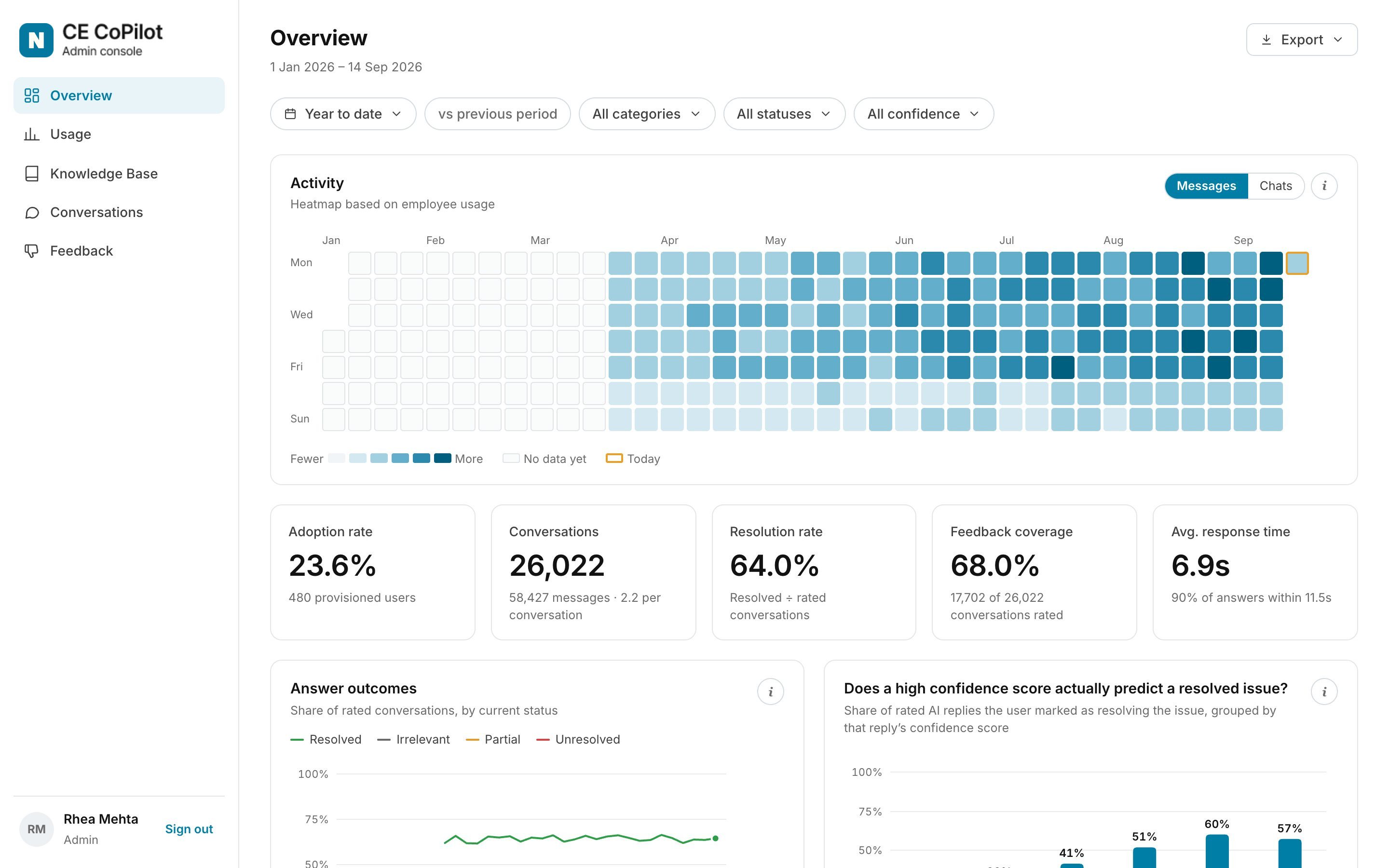
Activity by day, then the five numbers that matter: adoption, conversations, resolution rate, feedback coverage and response time.
Behind each number
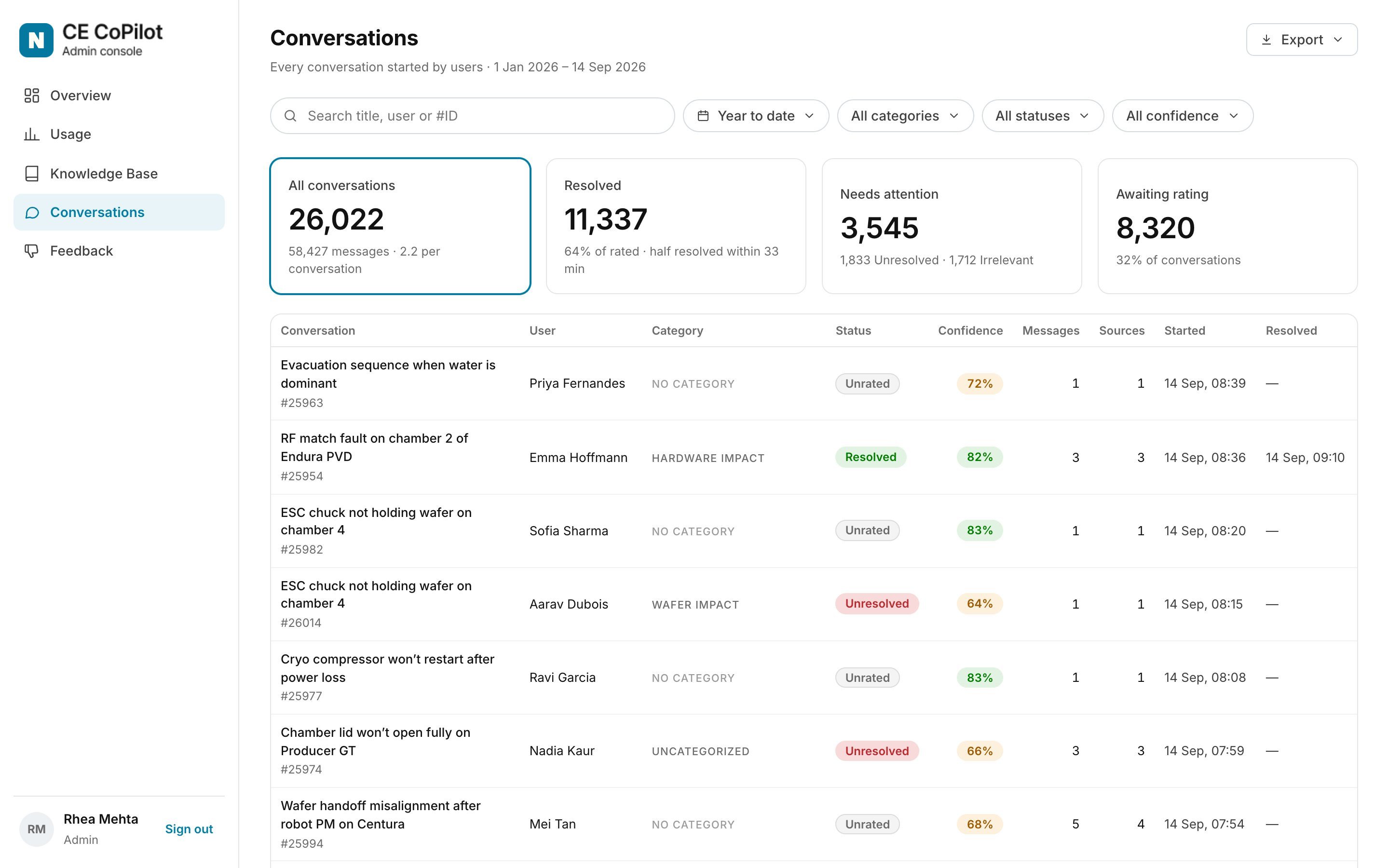
Usage, the conversations themselves, and the documents CE CoPilot is allowed to read.
Messages and people on one daily trend.

The tiles at the top are also the filters.
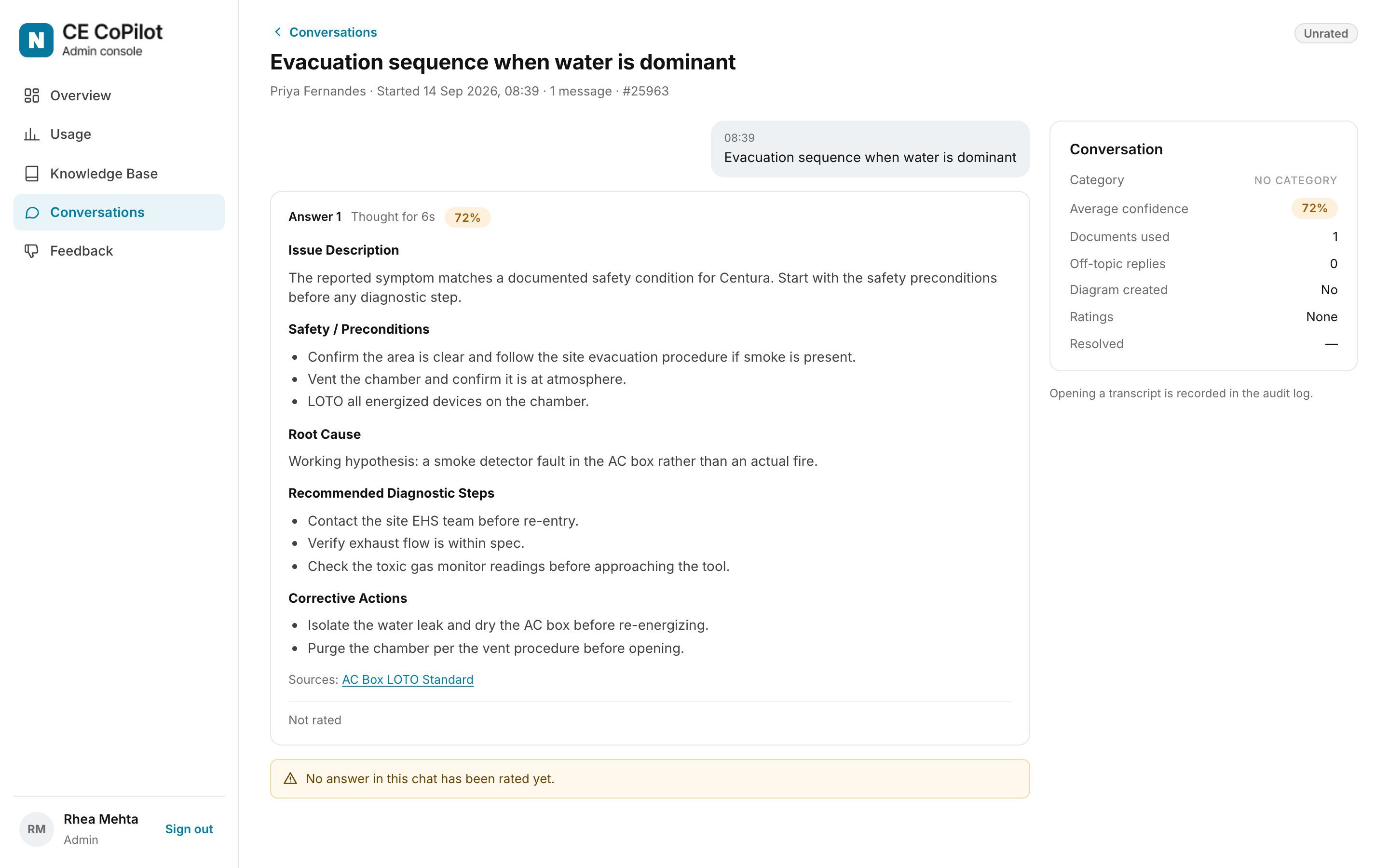
Read exactly as the engineer saw it, with the documents used and the rating.
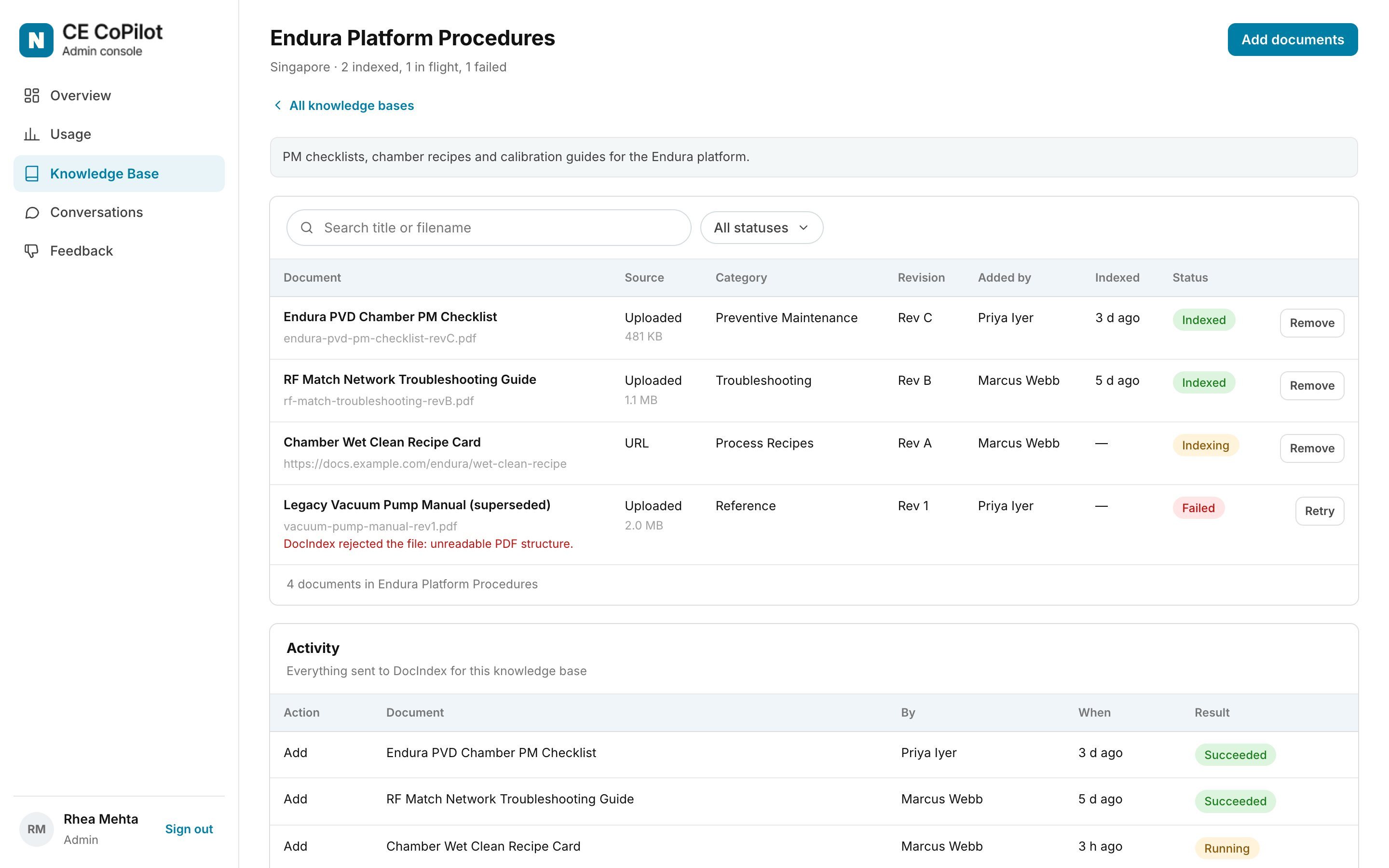
The approved documents per site, with revision and status, and a plain reason when a file fails to index.
What I learned
Trust is something you design
Show your work: engineers don’t trust an answer because it sounds sure. Showing the source and an honest confidence score let them check it for themselves.
A no can still help: declining an off-topic question is easy. Telling the engineer exactly what to add turns a dead end into a better question.
Plan for being wrong: some answers will be wrong. Designing the way back, from a thumbs-down to a scoped fix, mattered more than any single screen.